

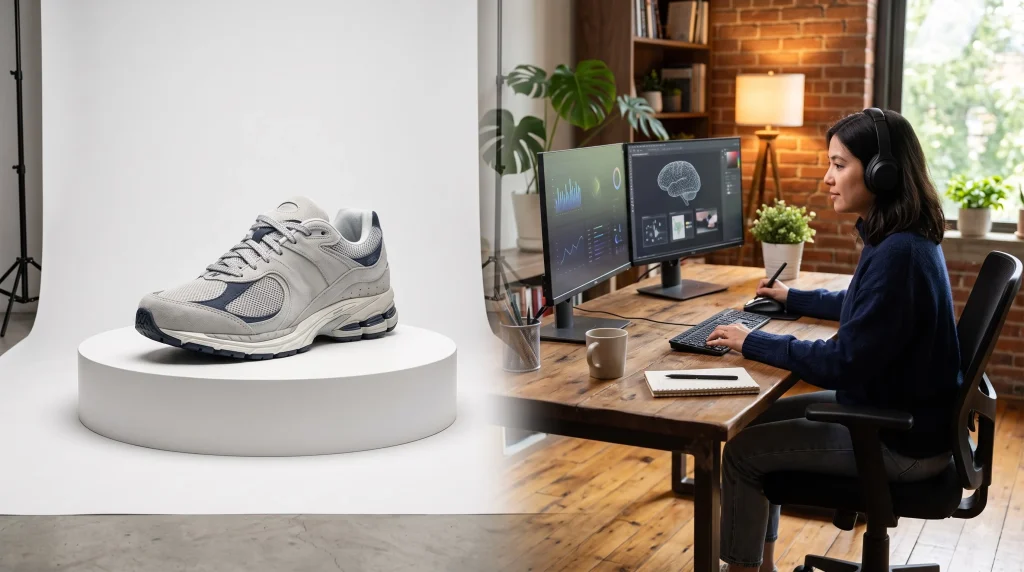
Traditional product photography is slow and costly. For smaller e-commerce brands, booking a studio, hiring a photographer, and reshooting every new SKU can cost weeks and thousands of dollars. AI product photography changes that equation: instead of scheduling a full shoot every time, you can generate polished, on-brand product images in minutes. This guide covers what AI product photography is, how it works, the full process for creating images with it, and where to be careful with accuracy and compliance.
For brands with lean teams or large catalogs, this change is more than just a time-saver. So new products can go live quicker, seasonal campaigns can launch without the scramble to book a photographer, and trying a different visual style no longer means another studio day commitment.
What Is AI Product Photography?
In contrast to conventional photography that depends on cameras and studio settings, AI product photography utilizes generative AI technologies to produce or improve product images. Essentially, it requires the user to upload a basic photo of a product, and the AI gets to work creating different settings, lighting, and scenes. Under the hood, most tools use diffusion models that isolate your product, then blend it into a newly generated environment while matching shadows and lighting so the result looks like it was actually shot in that setting rather than pasted in.
The main use cases include generating clean, white-background listing images, lifestyle shots that place a product in a real-world setting, and seasonal or campaign-specific variations, all from a single original photo rather than separate shoots. A single well-shot base image can be reused as the source for dozens of variations across different platforms, which is what makes this approach so appealing for brands managing large or fast-changing catalogs.
What Are the Benefits of AI Product Photography?
The appeal comes down to a handful of practical advantages:
- Lower costs — no studio rental, equipment, or per-shoot photographer fees
- Faster production — new images in minutes instead of days
- More variations — generate multiple angles, backgrounds, and styles from one source photo
- Seasonal content — swap in holiday, seasonal, or campaign-specific scenes without a reshoot
- Scalability — apply the same workflow across an entire catalog, not just a few hero products
How to Use AI for Product Photography
The central and practical method of producing usable images of products through AI
1. Start With a High-Quality Product Image
However, the quality of the generated image depends on the one used as a source for generating better quality images. The initial image must be clean, well visible, and taken against a white background, or it may be worse than possible in case of a less perfect initial image.
2. Choose the Background, Setting, and Style
One needs to make a decision about the background before proceeding with the prompt. The choices include images taken against clean white backgrounds, those that feature some environment, or images using seasonal campaigns. It’s necessary to pay attention to the lights used, composition, and style of the shot.
3. Write the AI Prompt
Precise prompts will produce good results, as opposed to ambiguous ones. Instead of writing “product on the table,” describe it as “product on a light oak table, with soft natural window light from the left side, shallow depth of field, and slight overhead angle”
4. Generate and Review the Images
Generate several variations rather than accepting the first result — most tools make this fast enough to test five or six options per product. Make sure that the image is accurate: test if all proportions, colors, and details are accurate.
5. Make Final Edits and Export
It is always recommended to edit the selected image at the end: return its colors to normal, sharpen it, and adjust it so that it fulfills the requirements of all platforms where it is to be used.
AI Product Photography Use Cases
AI product photography supports several common applications:
- E-commerce product images — clean, marketplace-ready listing photos
- Lifestyle product images — products shown in realistic, in-use settings
- Social media creatives — platform-specific formats and styles
- Seasonal campaigns — holiday or promotional scene variations
- Advertising creatives — imagery tailored to specific ad placements
- Virtual model photography — apparel shown on AI-generated models instead of a live photoshoot
How can perfect matching of the image with the product be achieved?
The main threat of using AI in product photography is drift: images are acceptable in themselves but may be different from each other and from the real item. Two things help. First, lock a reference image and a style template, so proportions, color balance, and lighting style stay consistent across every variation you generate, rather than starting fresh with each prompt. Second, compare every output side by side with your original photo before publishing, checking specifically for shifts in shape, color accuracy, and fine details like labels or text.
Building this review step into your workflow, rather than treating it as optional, is what keeps a growing catalog looking coherent instead of visibly inconsistent from one listing to the next. It also protects you from a subtler problem: small, cumulative drift that isn’t obvious in any single image but becomes noticeable once dozens of listings are compared side by side.
Choosing the Right AI Product Photography Tool
The right tool depends on your accuracy needs, your primary use case, how it fits your existing workflow, and how much volume you need to produce.
| Tool Type | Best For | Consideration |
| Background removal/replacement | Fast, accurate listing images | Limited creative range |
| Full scene generation | Lifestyle and campaign imagery | Needs more prompt refinement |
| Batch/catalog automation | High-volume, multi-SKU stores | Less control per image |
| Manual AI editing suites | Precision retouching, brand-critical products | Slower, more hands-on |
For a small catalog with high accuracy needs, a manual editing tool may be worth the extra time. For large catalogs, batch production software is time-effective, but there may be a loss of control over each image.
Where to Use AI Product Photography—and Where to Be Careful
AI product photography works well for e-commerce listings, social ads, seasonal refreshes, and lifestyle scenes for straightforward product categories like cosmetics, electronics accessories, and packaged goods. Be extra careful when dealing with items for which color, texture, or size is the deciding factor for the buyer. Products like fabric swatches, furniture, and color-matching cosmetics fall within this realm. In those cases, AI-generated imagery can create accuracy or trust issues if a customer receives something that doesn’t quite match what they saw online, which increases returns and complaints rather than reducing costs. A simple rule of thumb: the more a purchase decision depends on precise visual detail, the more a real photo should stay in the loop somewhere in the process.
Limitations of AI Product Photography
AI product photography isn’t flawless. Common issues include product distortion on complex shapes, incorrect or garbled logos and text, color inaccuracies, unrealistic rendering of reflective or transparent materials, inconsistent shadows and reflections, and outputs that vary in quality across a batch. A human review step before publishing is still necessary, especially for brand-critical or high-return-risk categories, since a single overlooked error across a large catalog can be far more costly than the time it would have taken to catch it.
AI Product Photography Compliance and Marketplace Guidelines
Amazon and Marketplace Requirements
Amazon does not ban AI-generated product images outright, but every image must accurately represent the physical product a customer will receive, and <cite index=”6-1″>main images still need to be realistic, professional-quality, on a pure white background, with the product filling about 85% of the frame and no added text, logos, or watermarks</cite>. Separately, <cite index=”3-1″>Amazon now requires sellers to tag product images or videos containing photorealistic AI-generated people with specific metadata before uploading them to listings or A+ Content</cite>. Requirements vary by marketplace and change over time, so check current Seller Central guidance before publishing AI imagery at scale.
AI Disclosure and EU Requirements
Under Article 50 of the EU AI Act, which applies from August 2, 2026, it will become the responsibility of the manufacturers of AI machines that provide the production of synthetic audio, visuals, videos, and writings to ensure that the products they output are distinguished graphically so that machines can detect them as artificial creations. Whenever a produced or changed visual contains elements of deepfakes, it is necessary for the producers to let the audience know that the visual contains artificial data. Brands selling into the EU should build this disclosure into their AI content workflow rather than treating it as an afterthought.
Practical AI Product Photography Checklist
- Start with a good, clear, properly lit base product photo
- Lock in a consistent style and reference image before generating variations.
- Write detailed prompts on lighting, setting, camera angle
- Generate multiple variations and compare them against the original
- Check proportions, colour accuracy, fine detail before approving
- Confirm platform-specific requirements (background, size, disclosure)
- Add appropriate AI disclosure metadata or labelling as applicable
- Keep a log of prompts and settings that gave you your best results
Frequently Asked Questions
Can AI create product photos from a single image?
Yes. Most AI tools use only one clear base photo to produce different backgrounds and angles.
What is the best AI tool for product photography?
The answer depends on how you are going to use the tool: background-removal tools are good for simple listing images, full scene generators are ideal for lifestyle brands, while batch processing is most suitable for large catalogs. There is no universal solution for various brands.
Can AI product photography replace professional photography?
Yes, for many simple product types like the standard catalog and campaign imagery. A combined process is more appropriate for product types where the real original image is crucial.
How do I keep AI product photos accurate?
Use a good original photo, create a steady-state style template, and verify every generated picture matches the original before issuance.
Are AI-generated product photos allowed on Amazon?
Yes, but only if: the images are original, though with the main image meeting the guidelines for the type of image Amazon accepts, and the AI-generated human figures being photorealistic and labeled.
Final Thoughts
AI product photography won’t replace photography entirely, but it removes the biggest bottleneck for brands that need more images, faster, without a recurring studio budget. Start with a solid base photo, build a repeatable prompt and review process, and stay current on marketplace and disclosure rules as you scale. Treat it as a way to extend the value of the photos you already have rather than a total substitute for them, and it will keep paying off as your catalog and campaigns grow. If you’d rather have a team handle the strategy and execution, MyFirstAd can help you build an AI product photography workflow suited to your catalog.
